Publish and undo changes to your Date & Price Checker
Updated 31 Oct 2026
Your edits to the Date & Price Checker save automatically as a private draft. Customers see none of it until you press Publish, and for ten seconds afterwards you can press Undo. Closing the editor with unpublished changes is safe: the draft is kept for next time.
The bar at the bottom
The bar at the bottom of the editor tells you where things stand:
- No unpublished changes — nothing waiting.
- Draft saved · 3 changes not yet live — your edits are safe, but the live widget is unchanged.
- Saving… — wait a moment before publishing.

Publish
- Press Publish.
- A box titled Publish 3 changes? (with the real number) lists each change in plain words, grouped by the screen it is on. It says these go live the moment you publish and that you can undo straight afterwards.
- Check the list, then choose Publish now. Keep editing goes back to editing.
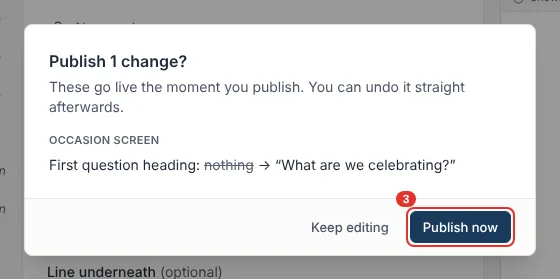
If you changed packages, pricing rules or where you set out from, the dialog adds a line to say those saved straight away and are not part of the draft.
Undo
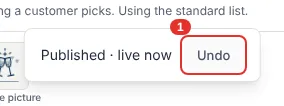
After publishing, Published · live now (or live on 2 pages, when we can tell where it is placed) appears for about ten seconds with an Undo button. Undo puts the previous version back live. It is a second publish, so it appears in your history too. If the undo fails, Try again appears.
Discard
Discard throws away the changes in your draft and leaves the live widget as it is. It asks you to confirm first.
History and restore
Choose History in the editor to see your last 20 publishes: when, who published, and a short summary of what changed.
- Pick a version and choose Preview this version to look at it.
- Choose Restore, then Yes, restore.
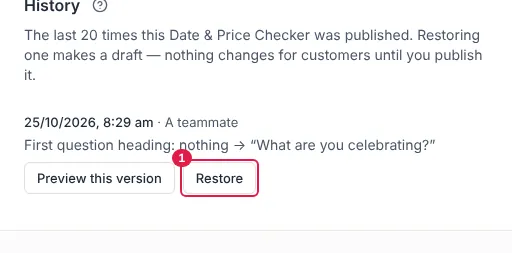
Restore never changes the live widget by itself. It puts that version into your draft, and you press Publish when you are happy. If you already had unpublished changes, you are warned that restoring replaces them.
If something goes wrong
- The live widget changed while you were editing. Another person or tab published. Use Bring up to date, which keeps your edits and picks up the new live values. If you both changed the same thing, it tells you which.
- Packages, pricing rules or my base address are not in the history. They are shared across your business, save at once, and can't be undone from here.
Still stuck? Open the chat assistant (bottom-right) for help with your specific setup.